Syncrofy Software
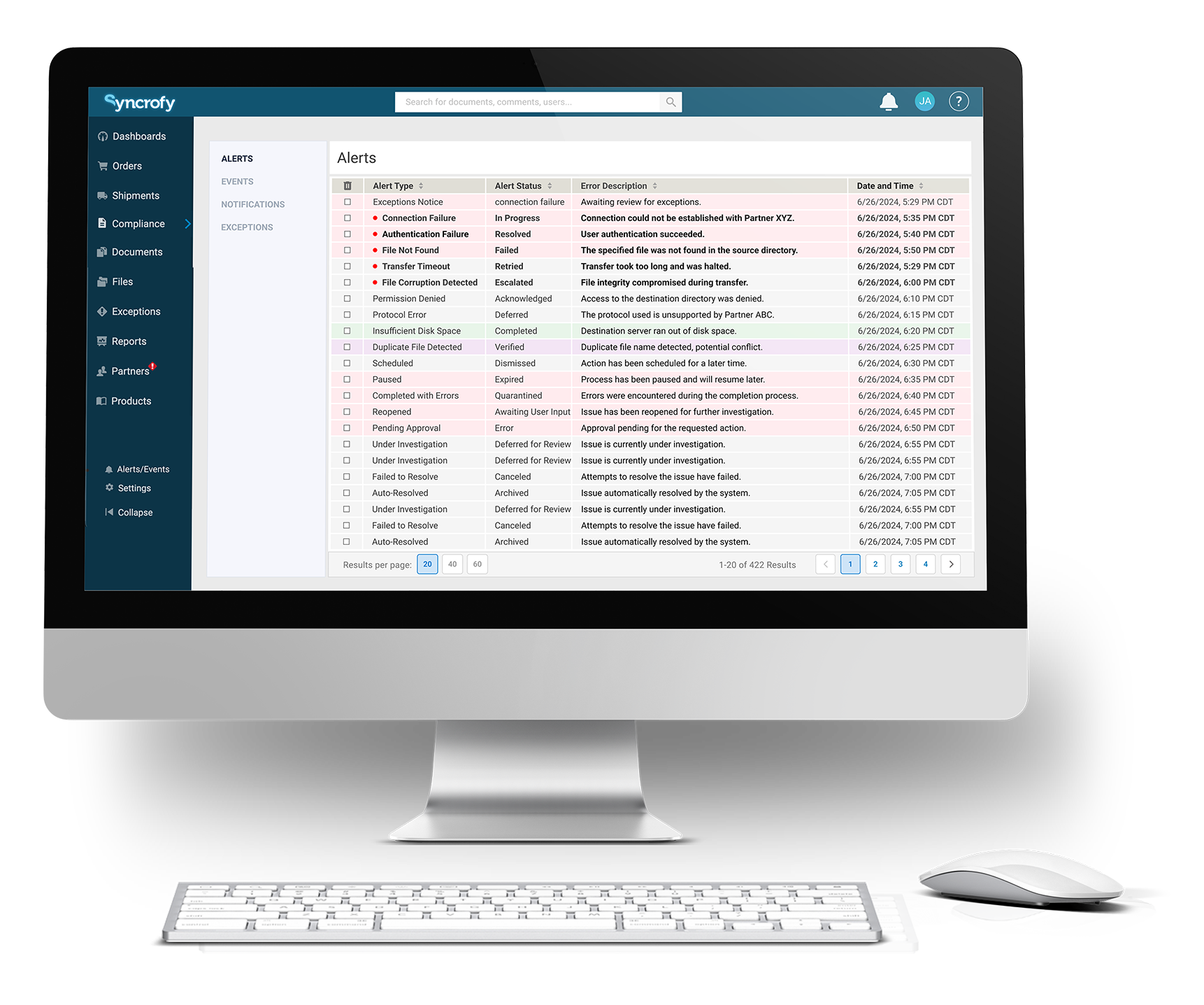
Designed and developed a new Managed File Transfer Banking Transaction Module for Syncrofy, enabling secure and efficient handling of high volumes of banking transactions.
Lead UX/UI Designer
Web Application
Product Manager, Developer, Stakeholder
- •Delivered a secure, scalable MFT banking transaction module capable of supporting high-volume transaction workflows
- •Improved usability and clarity for complex transaction data, reducing cognitive load for banking and operations users
- •Implemented accessibility-compliant UI patterns to support inclusive use in regulated financial environments
- •Established a reusable design foundation for future transaction-based features within the Syncrofy platform
Introduction
CoEnterprise's Syncrofy is an AI-Enabled Supply Chain Platform providing faster, more detailed visibility to accelerate decision-making and grow profits. The goal was to design a new Managed File Transfer Banking Transaction Module.
The Challenge
Design a new module for handling high volumes of banking transactions securely and efficiently within the existing Syncrofy platform while ensuring seamless integration and addressing unique needs of various clients under tight deadlines. A major UX issue was the excessive horizontal scrolling required to view data in dense tables, which hindered usability and slowed down critical decision-making.
My Role
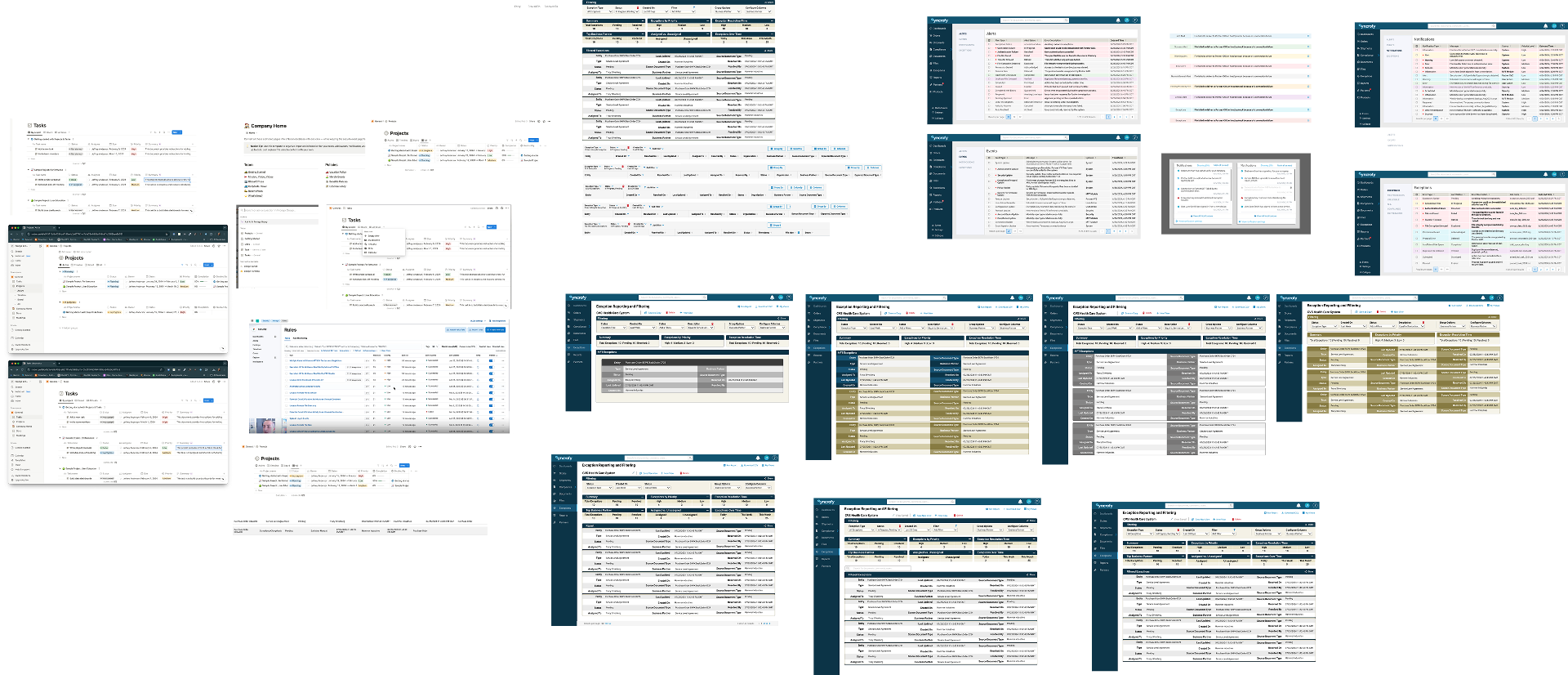
As Lead UX/UI Designer, I was responsible for the complete design of the new module, ensuring it integrated seamlessly with the existing platform while meeting diverse client needs. I conducted extensive analysis of the existing interface to identify pain points and developed multiple design solutions to address horizontal scrolling and data density issues.
Figma, Miro, Jira

What I Designed
Figma, Miro, Jira
Key Solutions
- 01
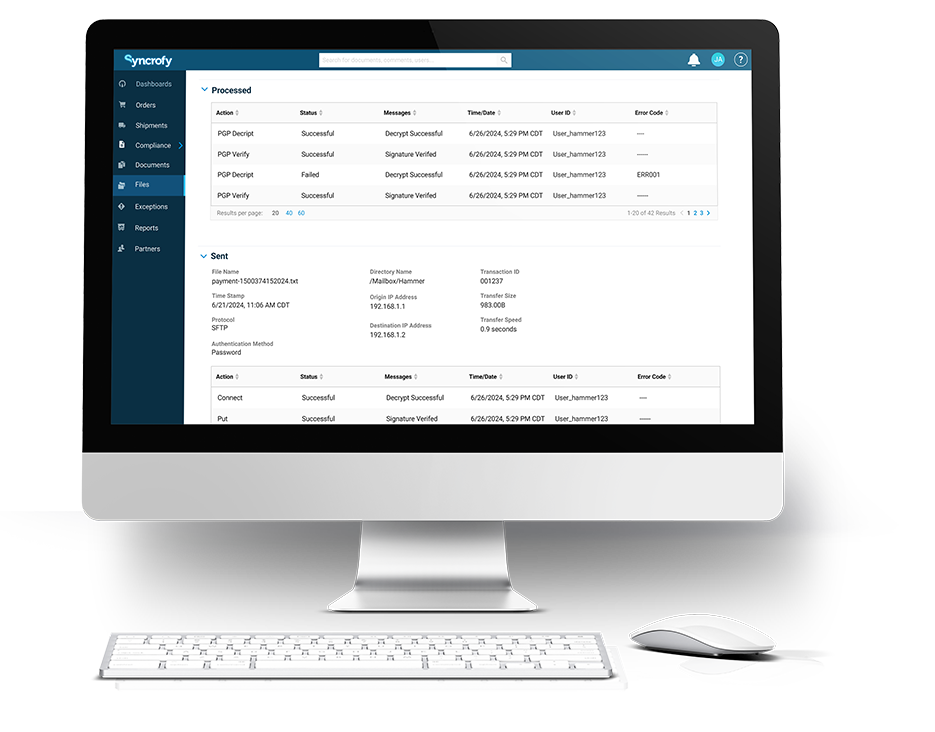
Redesigned data tables to eliminate unnecessary horizontal scrolling by prioritizing essential columns and implementing collapsible detail panels
- 02
Created a responsive column management system allowing users to show/hide columns based on their workflow needs
- 03
Designed a progressive disclosure pattern where summary views expand into detailed views on demand
- 04
Implemented fixed column headers with sticky navigation for easier data scanning
- 05
Built flexible reporting and analytics views with customizable layouts
- 06
Created intuitive dashboard for transaction monitoring with real-time status tracking


Results
- •
Successfully launched new banking module
- •
Eliminated horizontal scrolling pain points, improving task completion time
- •
Seamless integration with existing platform
- •
Met tight deadline requirements
- •
Positive client feedback on improved usability and reduced cognitive load

Learnings
Through iterative design and user testing, I discovered that the horizontal scrolling issue stemmed from trying to display too much information at once. By implementing progressive disclosure and user-controlled column visibility, we gave users power over their data view while maintaining access to all necessary information.