Modernizing a 25-Year-Old Educational Platform
I redesigned Prongo's product model, visual system, and front end—turning a fragmented WordPress library into clear, connected experiences for children, teachers, and families.
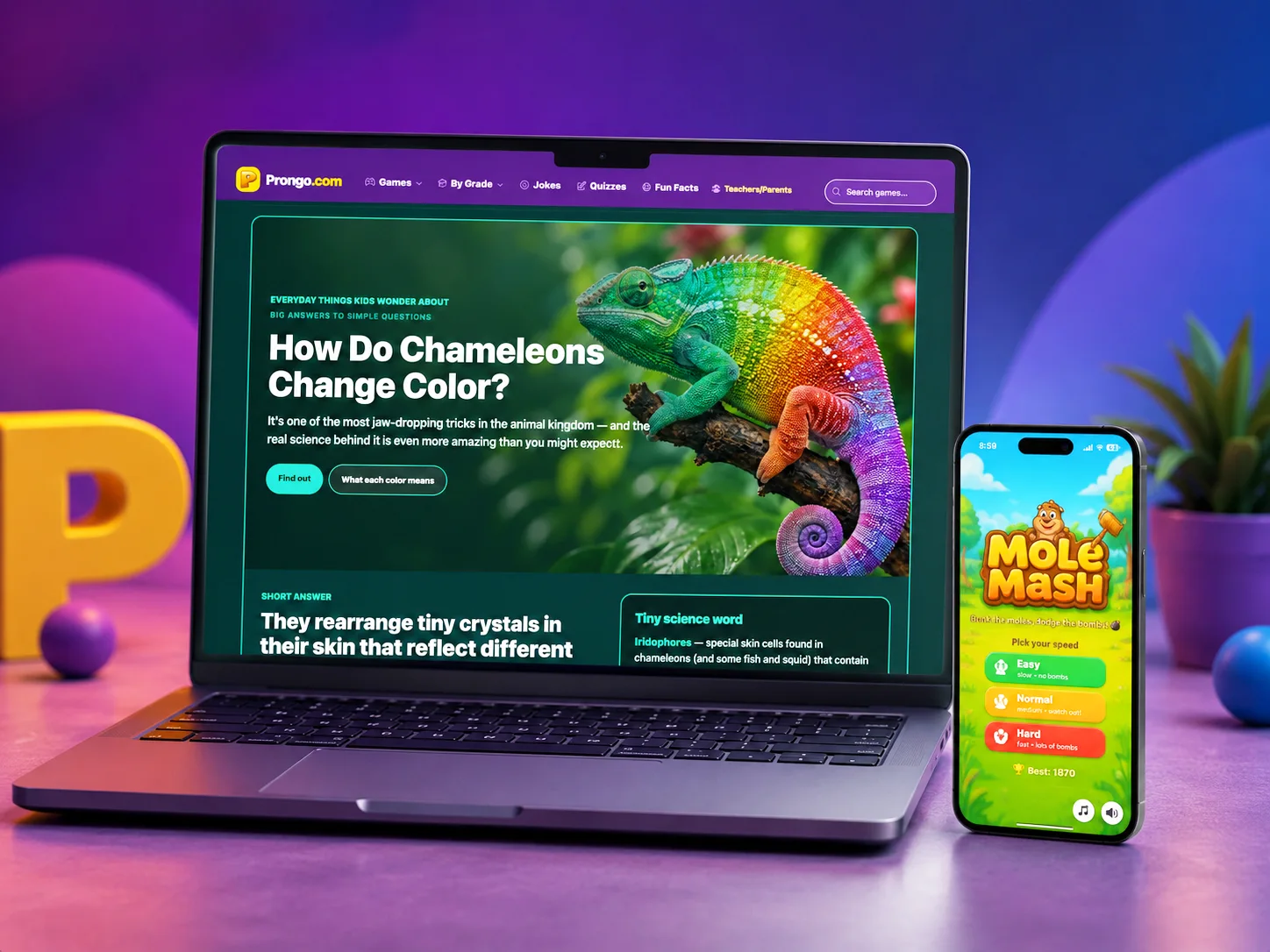
Founder, Product Designer & Developer
1999 – Present · Redesign Mar 2026 – Present
Web (React), legacy iOS
Solo Creator
- •300+ educational experiences preserved and reorganized
- •10M+ monthly page views at Prongo's historical peak
- •25 years serving children, families, and educators
- •One connected ecosystem spanning games, teacher tools, and printables
Introduction
Prongo began in 1999 as a free educational playground and grew to more than 10 million monthly page views at its historical peak. By 2026, its WordPress foundation, legacy embeds, and category-heavy navigation no longer supported how people found and used learning material. I led a full modernization: new information architecture, a reusable interface system, native React games, a dedicated teacher platform, and customizable printables.
Goals
- •
Create a fast, accessible, mobile-first React experience
- •
Make 300+ learning experiences easier to find by grade and subject
- •
Establish reusable patterns for native games and future products
- •
Give teachers and families purpose-built tools without compromising Prongo's free-for-kids mission
The Challenge
Modernize 300+ educational experiences without losing trusted content, familiar URLs, search visibility, or free access—while creating distinct but connected journeys for young learners, classroom educators, and families across desktop, mobile, and print.
My Role
As founder and sole product designer, I own strategy, research, information architecture, UI and visual design, accessibility, content, front-end development, SEO, and ongoing product operations. Working across the full lifecycle lets me test decisions in working software and balance user needs with technical constraints and long-term maintainability.
Figma, React, TypeScript, Vite, Tailwind CSS, Cursor, Supabase, Construct 3, HTML5
User Research
I audited top entry paths, game formats, categories, and legacy technology; reviewed how comparable learning platforms organize content; and used 25 years of product and traffic knowledge to identify the fastest paths for parents, teachers, and children.
- •
Grade-band browsing (Pre-K, 1–3, 4–6, 7–8) matches how parents and teachers search
- •
Subject hubs (Math, Reading, Science) need equal weight for classroom use
- •
Legacy H5P/iframe games felt broken on mobile—native React rebuilds were essential
- •
Teachers need task-based assignment and tracking tools—not a children's navigation adapted for adults
Design Artifacts
Sketches, wireframes, and research artifacts that shaped the solution.
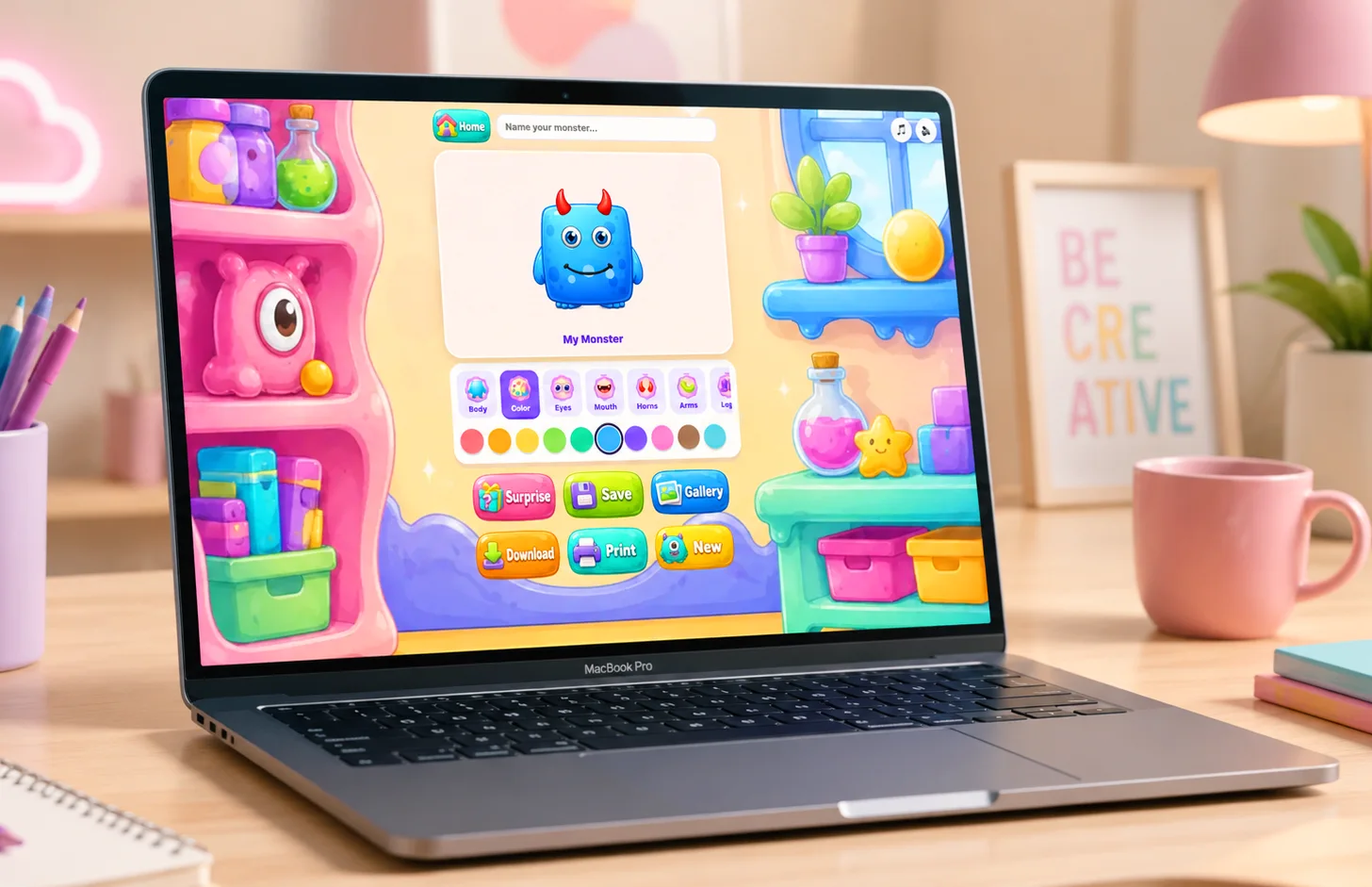
Information architecture for Pre-K through 8th grade browsing
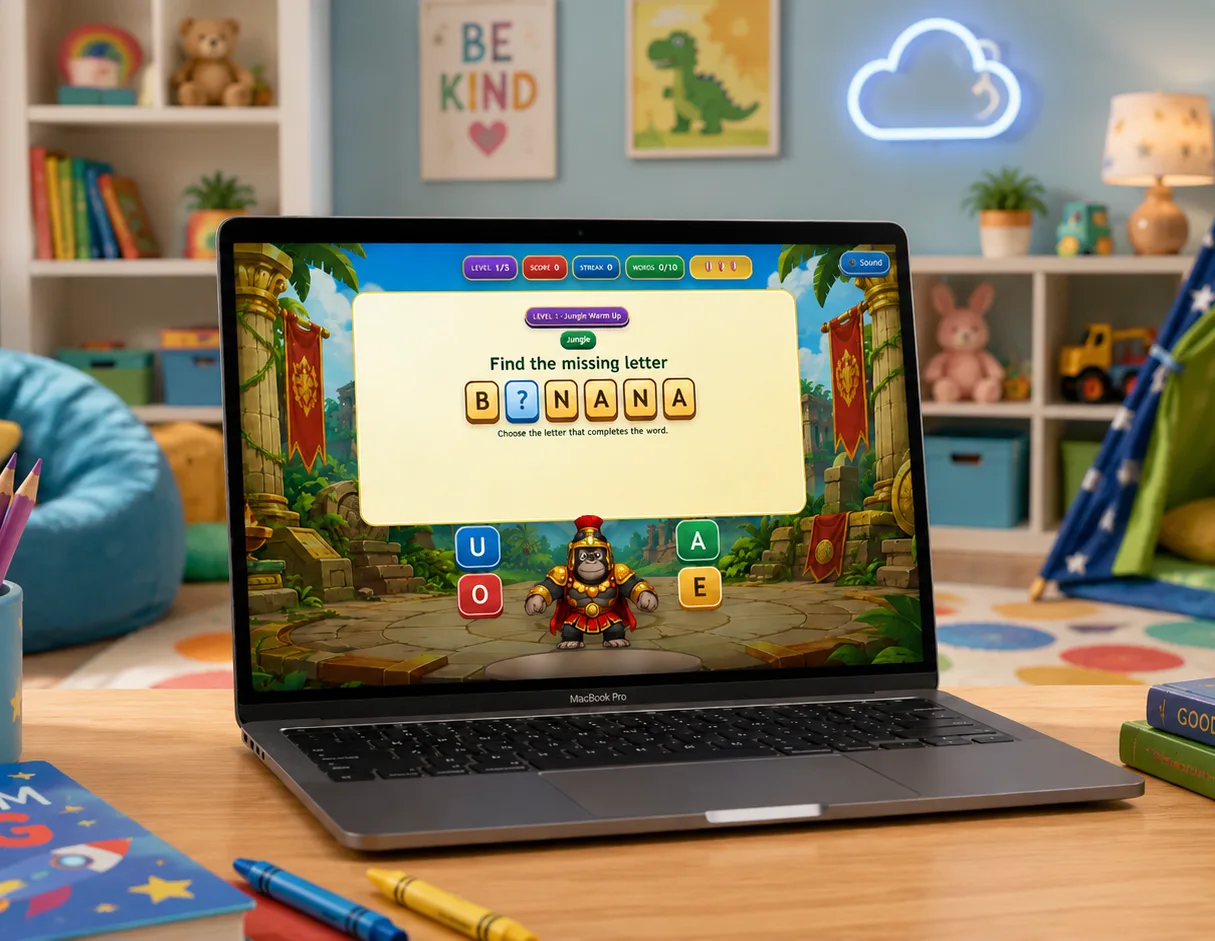
React quiz game replacing a legacy H5P embed
Process
Audit & Prioritize
Mapped the legacy catalog, traffic patterns, formats, and URLs to decide what to migrate, rebuild, preserve, or retire.
Restructure the Experience
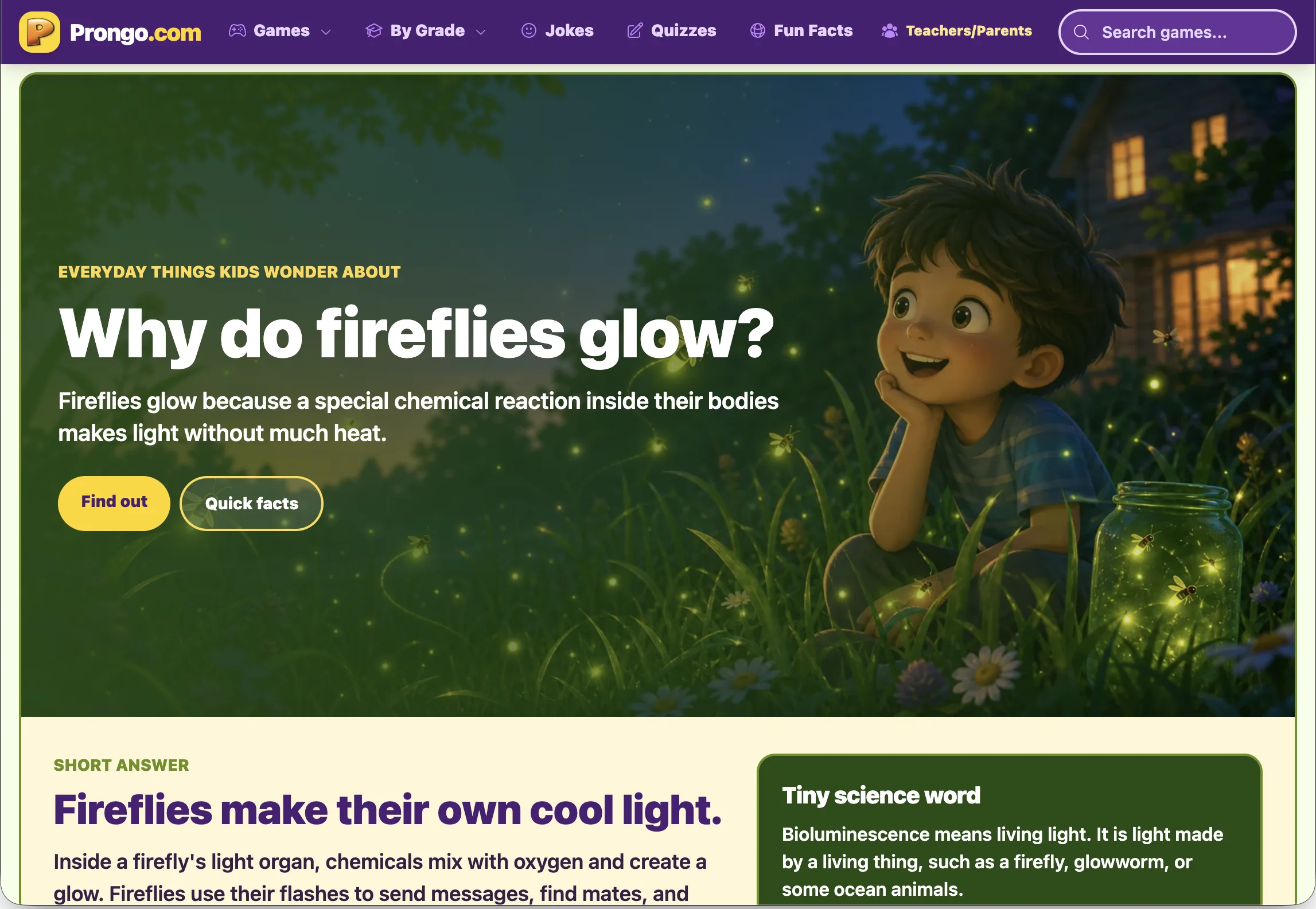
Designed grade-band pages, subject hubs, and audience-specific journeys that replaced the old category maze with scannable paths.
Design a Reusable System
Created a playful, readable visual language and shared components for navigation, content cards, games, quizzes, and responsive layouts.
Build, Validate & Roll Out
Rebuilt priority experiences in React, added teacher and printable workflows, and launched incrementally while preserving SEO and legacy access.
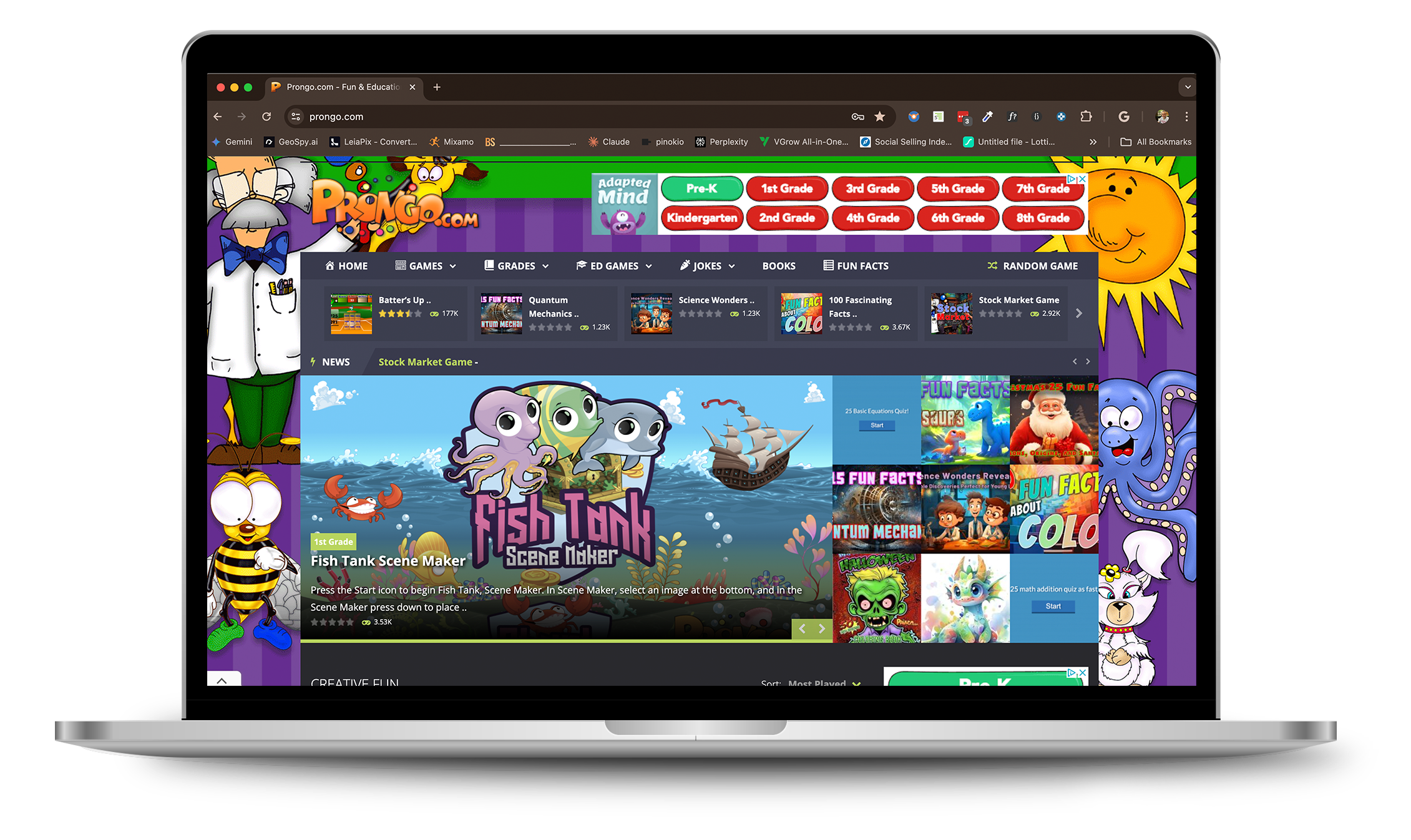
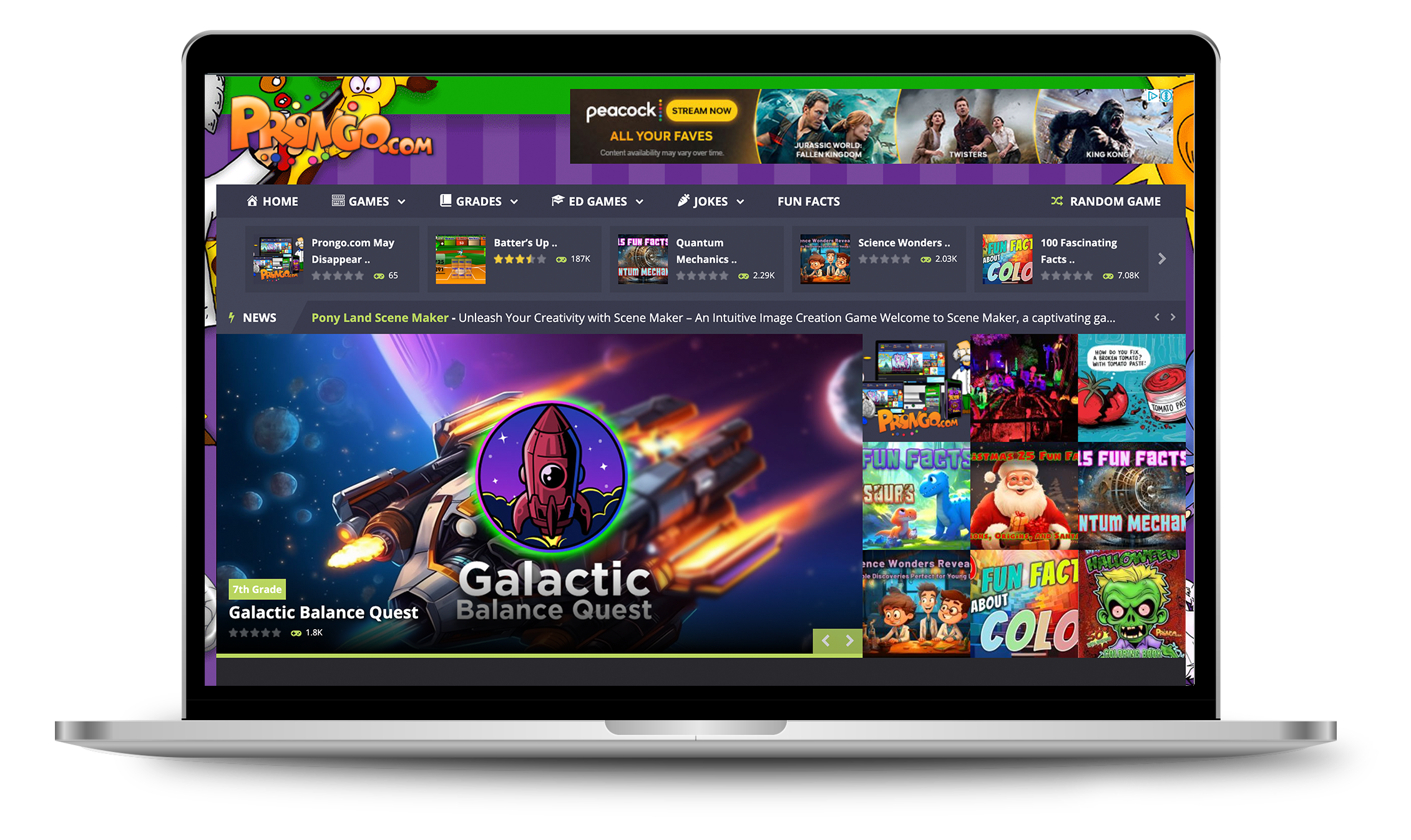
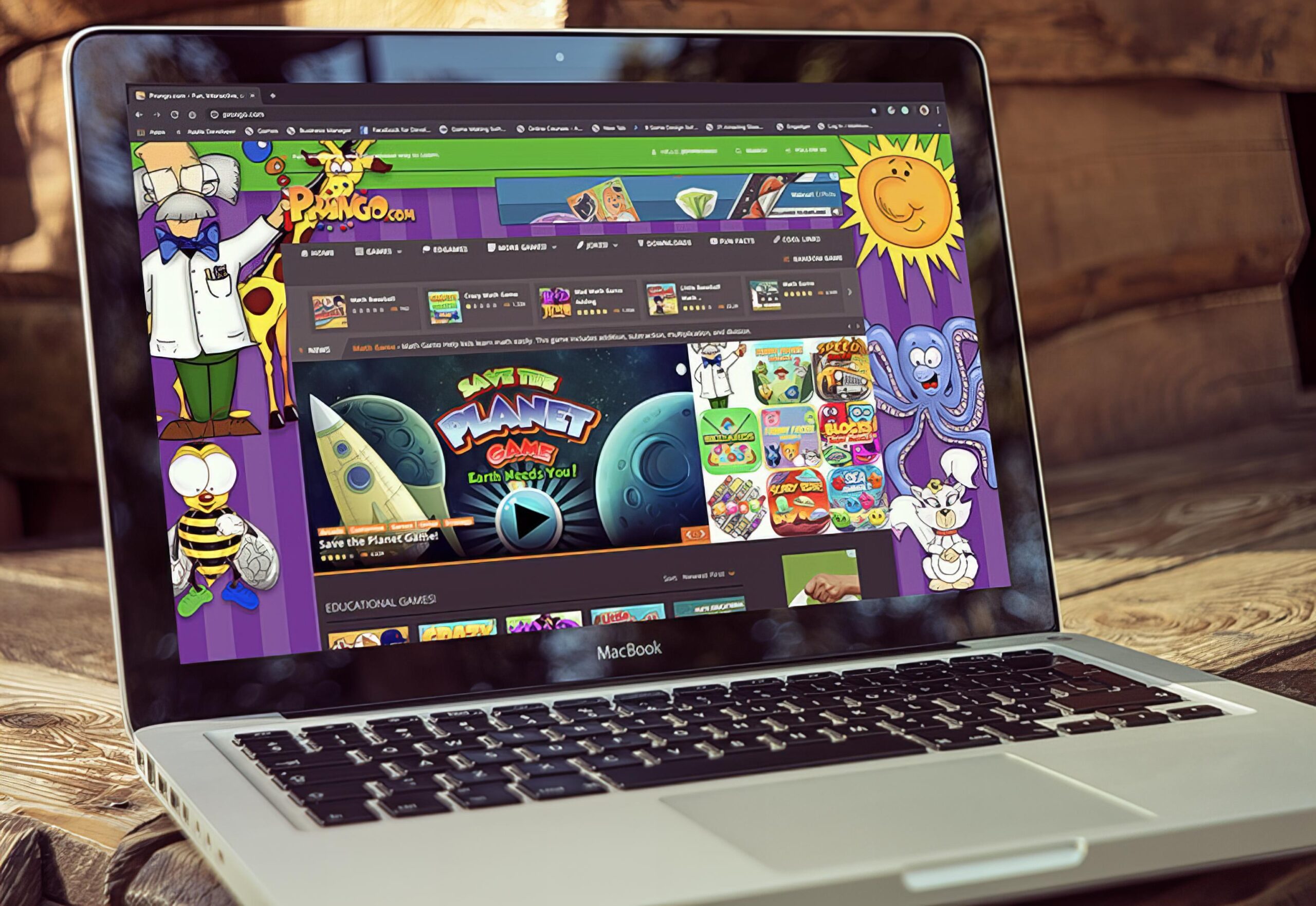
Before — Legacy WordPress
Key Features

Prongo Teachers
A dedicated platform for teachers, students, and families with class management, assignment codes, quizzes, printable packets, and progress tracking.
Solves: Gives adults a focused workflow instead of making them navigate a children's game site.
View Project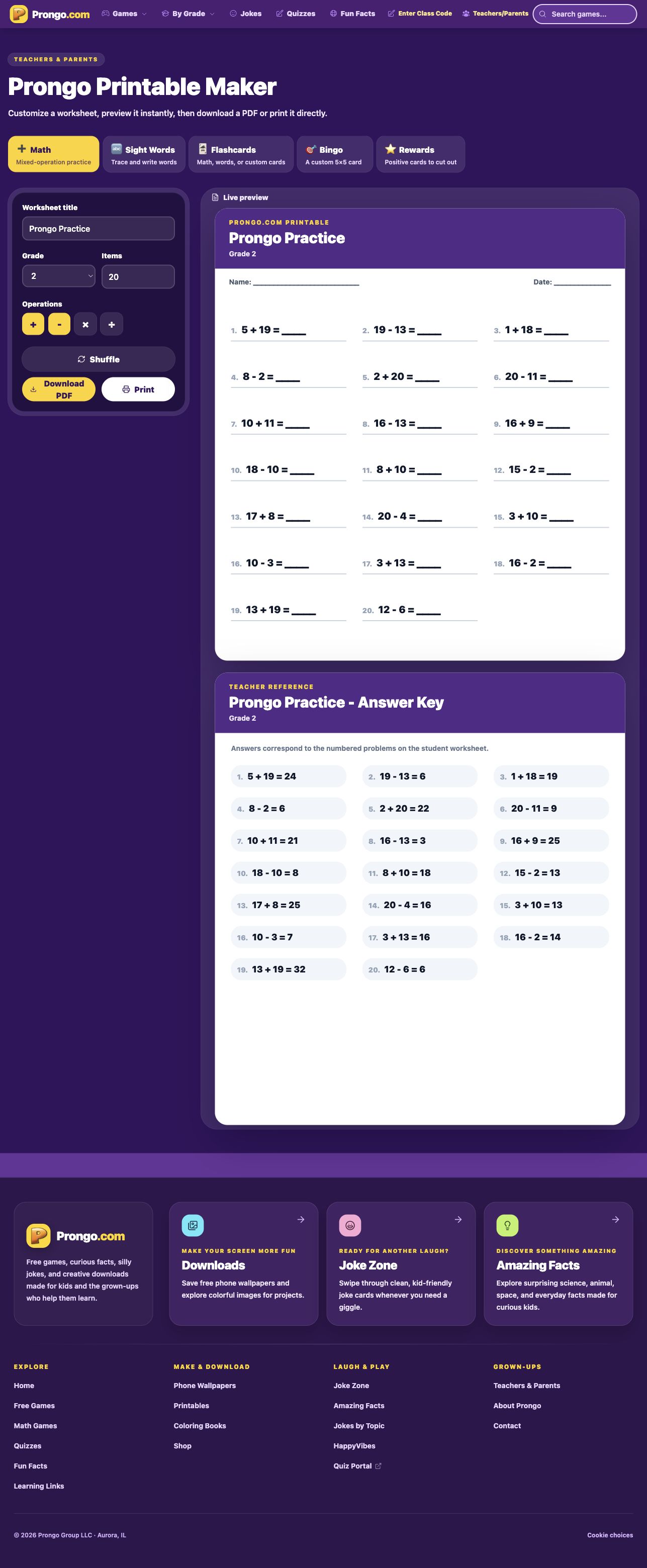
Printable Maker
A flexible creation tool for math practice, sight words, flashcards, bingo cards, and rewards—with live preview, answer keys, PDF export, and direct printing.
Solves: Turns digital content into useful, customizable classroom and home-learning materials.
View Project
Reusable Learning Products
Shared design and code patterns now support native games, quizzes, grade hubs, content cards, and future learning tools across screen sizes.
Solves: Makes new products faster to build, easier to maintain, and more consistent for users.
View ProjectWhat I Designed
Figma, React, TypeScript, Vite, Tailwind CSS, Cursor, Supabase, Construct 3, HTML5
Key Solutions
- 01
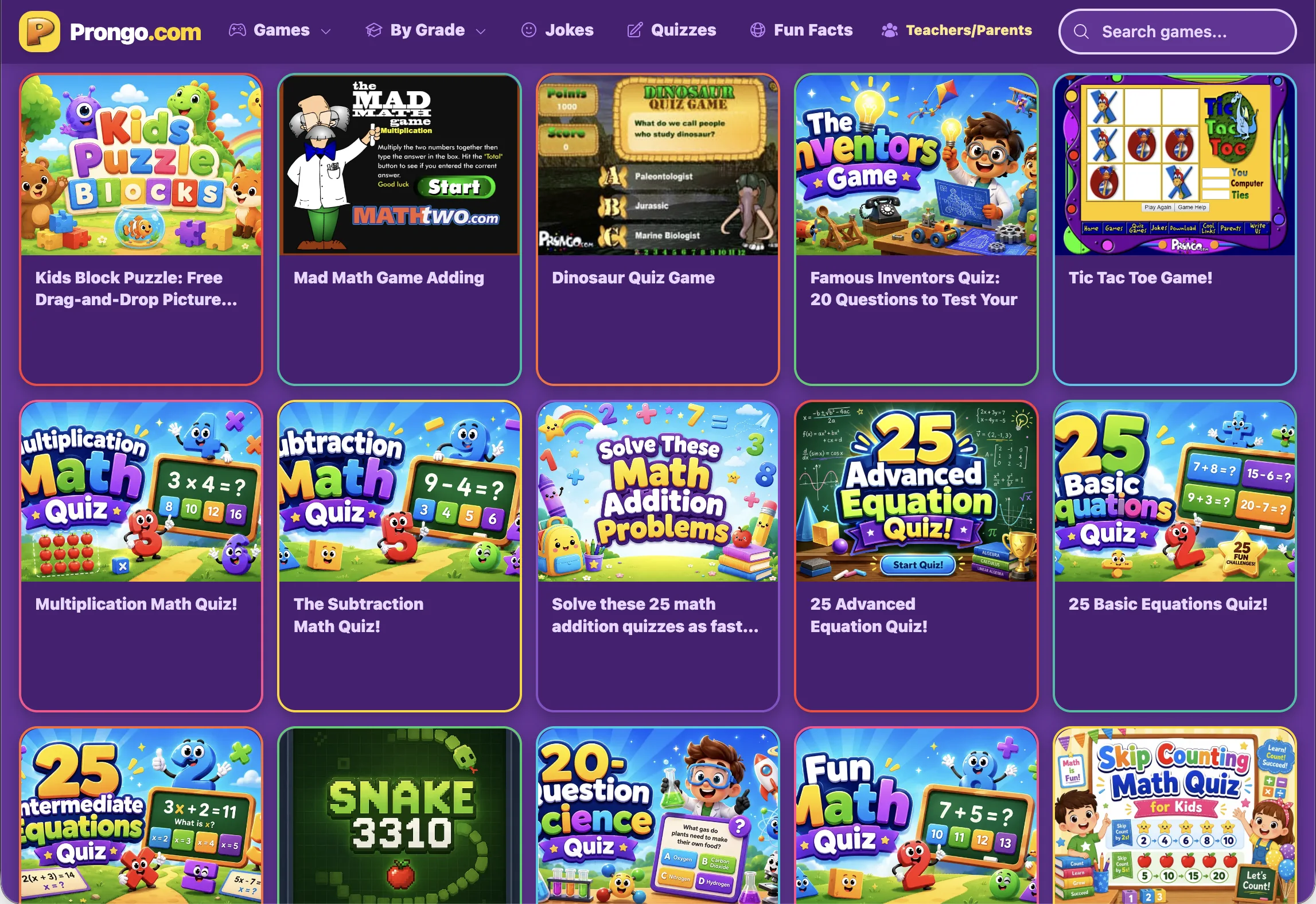
Grade-band, subject, and featured-game paths replace category-heavy browsing
- 02
React, TypeScript, and shared UI patterns replace brittle theme templates and embeds
- 03
Native mobile-friendly games use consistent welcome, direction, progress, and results states
- 04
A dedicated teacher platform supports classes, assignments, quizzes, and progress
- 05
Custom printable tools provide live previews, answer keys, PDF downloads, and direct printing
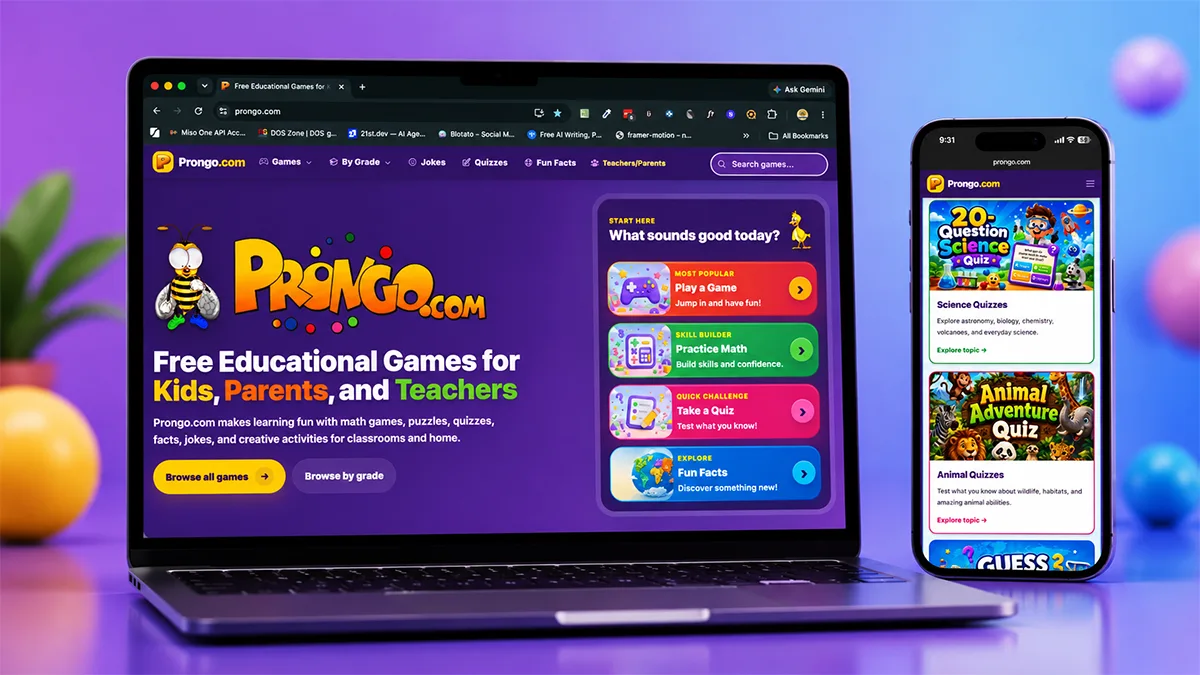
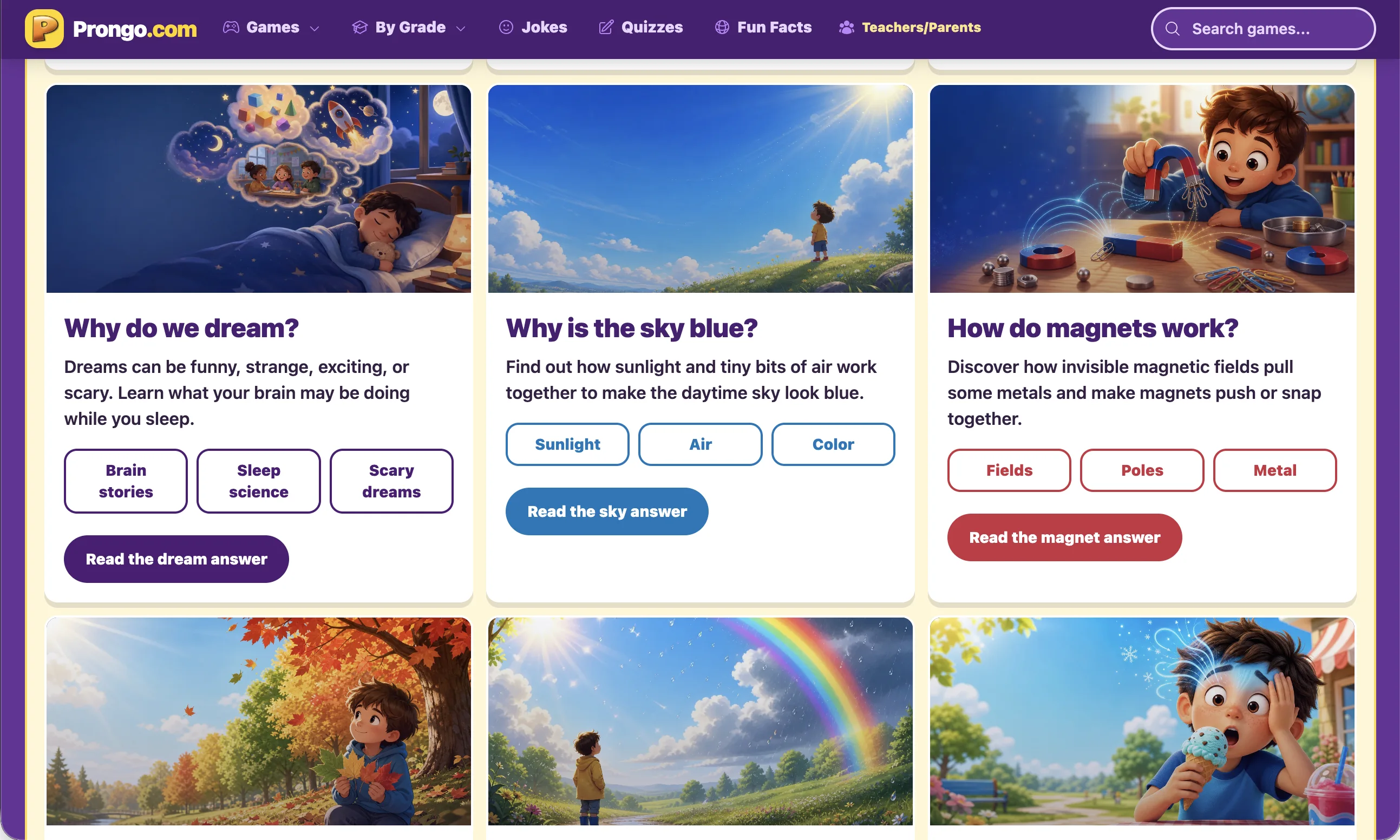
After — Redesigned React Platform
Results
- •
Reframed Prongo as one connected learning ecosystem instead of a collection of legacy pages
- •
Reorganized 300+ educational experiences through clearer grade and subject navigation
- •
Launched classroom assignment, quiz, and progress workflows on teachers.prongo.com
- •
Shipped five customizable printable product types for classroom and home use
- •
Established reusable patterns that make new games and learning tools faster to design and build
Learnings
- •
A redesign becomes more valuable when it fixes the product model, not only the interface. Separating kids, teachers, and families created clearer journeys than one navigation could provide.
- •
Designing and building the product myself strengthened my ability to make ideas feasible, test them in working software, and communicate tradeoffs clearly with engineers and stakeholders.
- •
Legacy modernization requires empathy for returning users. Preserving URLs, familiar content, and trust was as important as introducing a new visual and technical foundation.