HappyVibes App
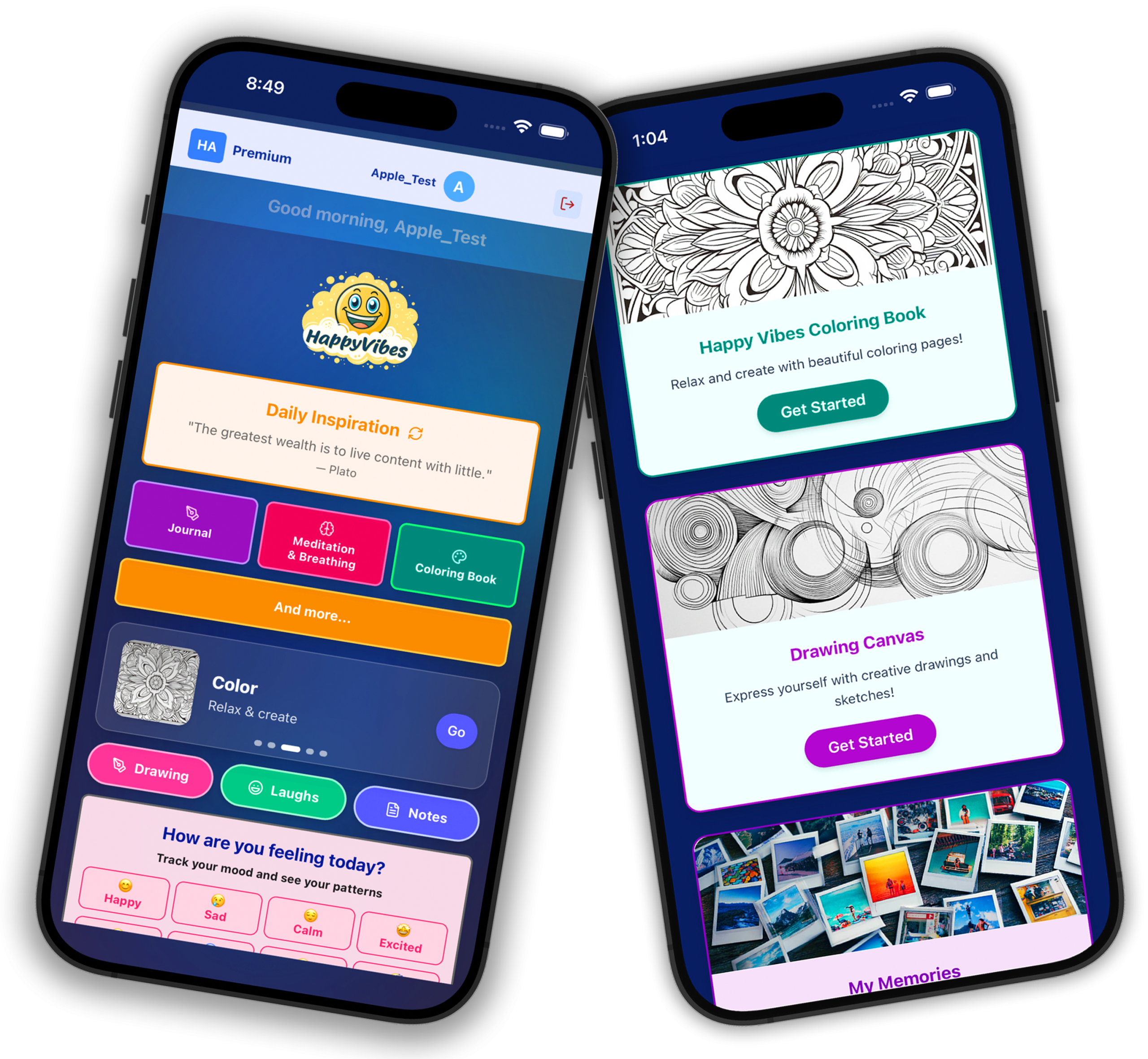
A well-being and creativity app designed to help users feel happier, calmer, and more inspired every day with journaling, daily inspiration, guided breathing, mood tracking, and creative tools.
UX/UI Designer & Developer
iOS, Web
Solo Creator
- •Solo-designed and developed full product
- •Published on iOS App Store
- •Unified wellness experience in one app
- •Created complete brand identity & illustrations

About This Project
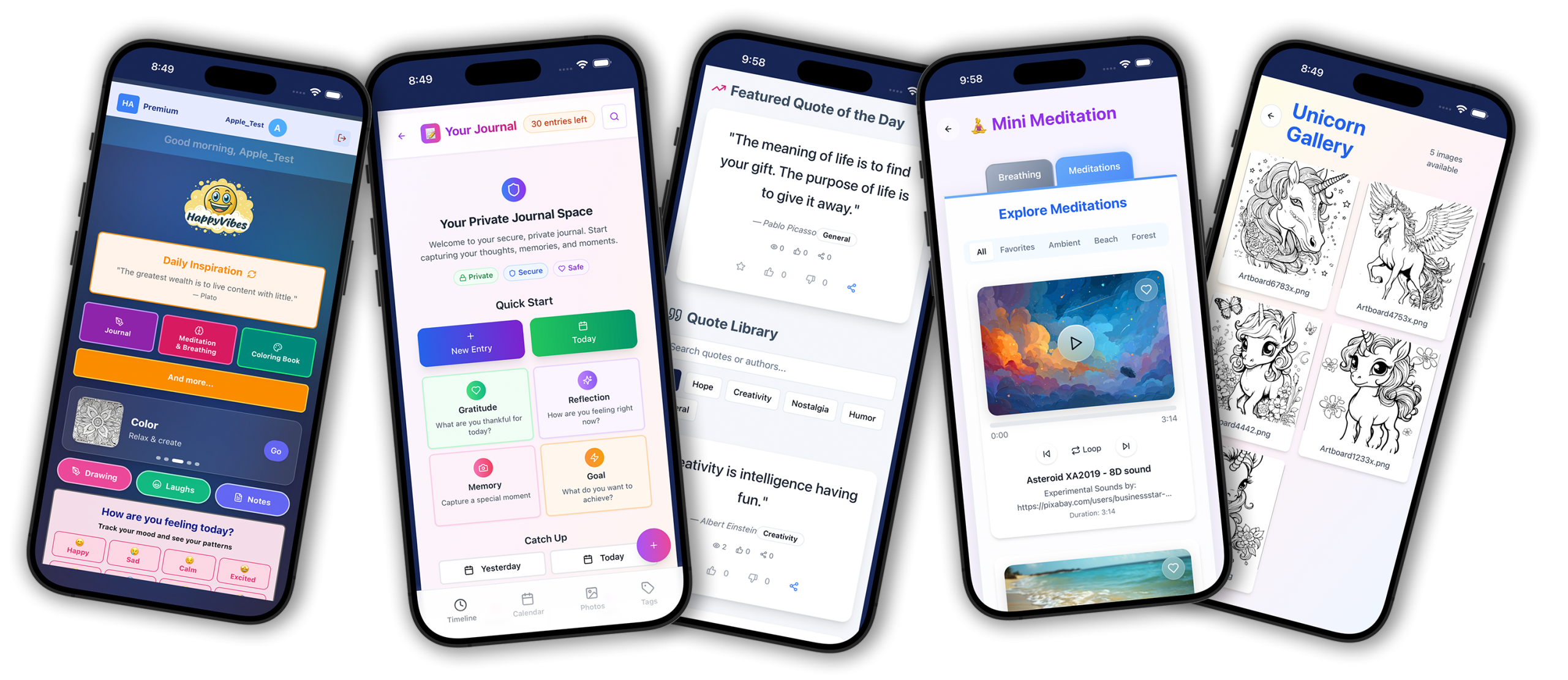
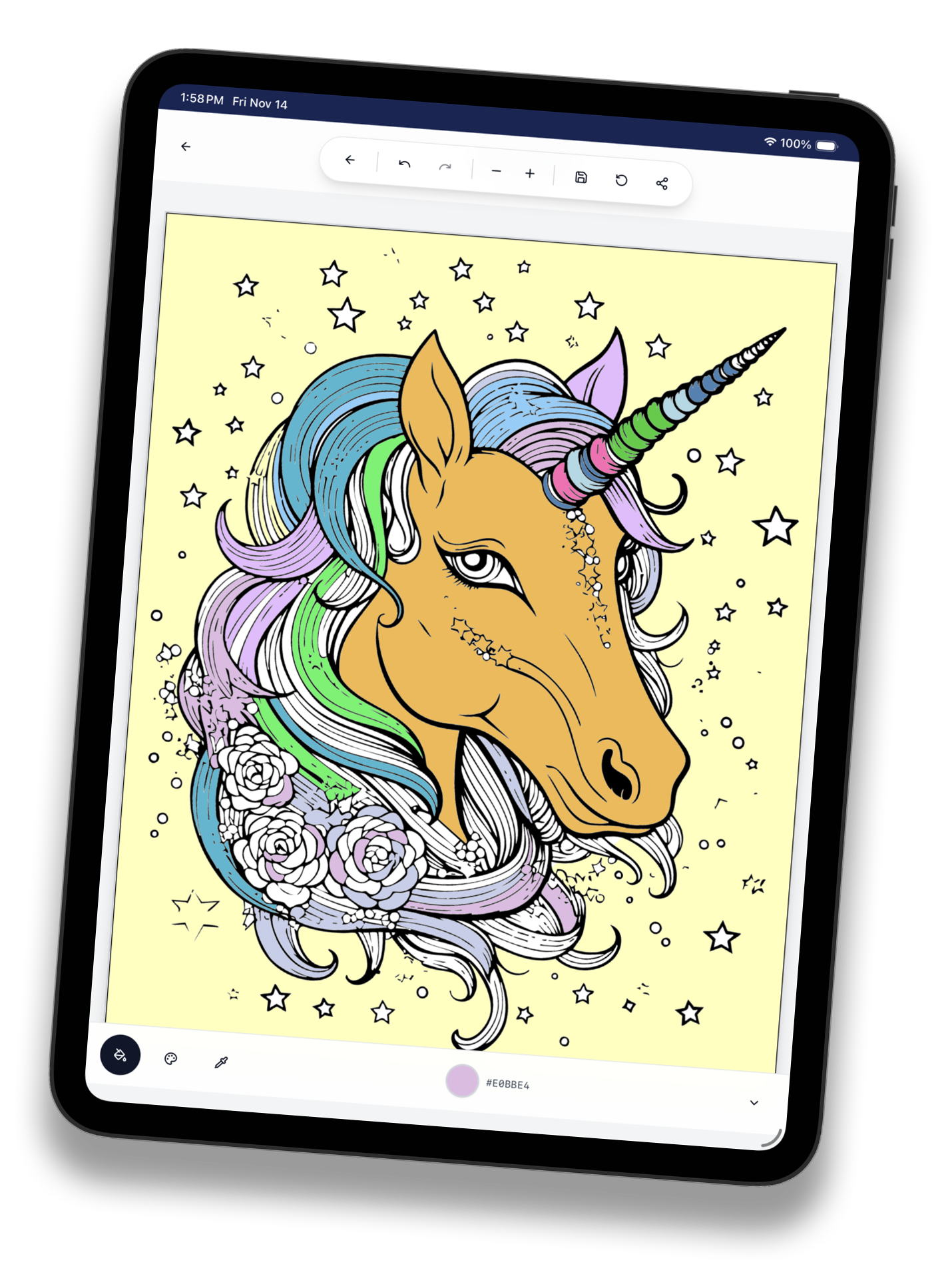
HappyVibes is a well-being and creativity app designed to help users feel happier, calmer, and more inspired every day. The app brings together journaling, daily inspiration, guided breathing, mood tracking, creative tools, and light entertainment—all in one simple, uplifting experience. I was responsible for every aspect of the project including product concept, UX/UI design, branding, illustration, and full front-end development.
Introduction
HappyVibes is a wellness application designed to help users track their mood and improve mental health through gentle, supportive interactions.
Goals
- •
Help users build a simple daily mood check-in habit
- •
Turn mood entries into useful, actionable insights
- •
Offer supportive content without feeling clinical or overwhelming
- •
Make the experience calming, lightweight, and repeatable
- •
Keep privacy and trust in mind throughout the design
Success Criteria
- •
Users can complete a mood check-in in under 30 seconds
- •
The interface feels calming and encourages repeat use
- •
Insights are easy to understand at a glance
- •
Supportive content feels encouraging rather than prescriptive
- •
The design prioritizes accessibility and readability
The Challenge
Users today have fragmented wellness experiences across multiple apps—one for journaling, one for meditation, one for inspiration, and another for creative activities. The challenge was to unify multiple wellness and creativity tools into one cohesive, easy-to-use experience while making happiness, creativity, and mindfulness simple enough to practice every day.
My Role
As the sole designer on this concept project, I was responsible for every aspect of the design process—from discovery and research through visual design and prototyping.
Figma, FigJam, Prototyping, React, App Development, Cursor, Loveable.dev, ChatGPT
Process
Discovery & Assumptions
I began by mapping out assumptions about the target audience and their needs. I explored existing wellness apps to identify common patterns, pain points, and opportunities for differentiation.
Target Users & Needs
The primary audience includes individuals seeking a lightweight way to track their emotional wellbeing—people who may find traditional journaling too time-consuming but want more than a simple rating scale.
Key User Flows
I mapped core user journeys including onboarding, daily mood check-in, viewing mood history and patterns, accessing supportive content, and setting reminders.
Information Architecture
I structured the app around four main areas: Home (quick check-in), History (patterns and trends), Explore (supportive content), and Profile (settings and preferences).
Wireframes & Prototyping
Starting with low-fidelity wireframes, I iterated on the mood check-in flow multiple times to reduce friction. I then built interactive prototypes to test the flow and timing of interactions.
Visual Design & Design System
I created a cohesive visual language with soft, calming colors, rounded shapes, and gentle typography. I built a small component library to ensure consistency across screens.
Accessibility Considerations
I ensured sufficient color contrast, clear touch targets, and readable typography. I also considered how the app would work with screen readers and alternative input methods.
Usability Feedback & Iteration
I gathered informal feedback from peers and potential users, which led to simplifying the check-in flow and making the insights dashboard more scannable.

Key Features
Mood Check-In Flow
A quick, guided flow that lets users log their current mood by selecting an emotion and intensity level. The interaction is designed to be completed in under 30 seconds.
Solves: Removes friction from daily mood logging, making it easy to build a consistent habit.
Mood History & Patterns
A visual timeline and calendar view that shows mood entries over time, highlighting patterns and trends in emotional wellbeing.
Solves: Helps users recognize patterns they might not notice in the moment, supporting self-awareness.
Insights Dashboard
A summary view that presents mood trends with gentle, actionable recommendations based on patterns—without being prescriptive or clinical.
Solves: Transforms raw mood data into meaningful, easy-to-understand insights.
Supportive Content
A curated library of breathing exercises, short meditations, and encouraging quotes that users can access anytime or receive as contextual suggestions.
Solves: Provides immediate, low-effort support during difficult moments without requiring professional intervention.
Optional Journaling
Users can add brief notes to any mood entry, creating a lightweight journaling experience connected to their emotional state.
Solves: Offers deeper reflection for users who want it, without making it a required step.
Reminders & Habit Support
Customizable reminders that gently prompt users to check in, with flexible scheduling to fit different routines.
Solves: Supports habit formation without feeling intrusive or adding pressure.
What I Designed
- •
App information architecture and navigation structure
- •
Core screens including all interaction states
- •
Reusable components and style guide
- •
High-fidelity interactive prototype
- •
Microcopy for key moments and empty states
Figma, FigJam, Prototyping, React, App Development, Cursor, Loveable.dev, ChatGPT
Key Solutions
- 01
Streamlined mood check-in flow with emotion and intensity selection
- 02
Visual mood history with pattern recognition
- 03
Insights dashboard with gentle, contextual recommendations
- 04
Curated supportive content library
- 05
Optional journaling connected to mood entries
- 06
Flexible reminder system for habit support
Results
- •
Clear, calming flow that reduces friction for daily check-ins
- •
Dashboard makes trends easy to understand at a glance
- •
Supportive content feels encouraging rather than clinical
- •
Design choices prioritize accessibility and readability
- •
Cohesive visual language creates a trustworthy, calming experience


Learnings
- •
Simplicity is essential for habit-forming features—every extra tap reduces completion rates
- •
Tone of voice matters as much as visual design in wellness apps
- •
Users value insights only when they are easy to understand and actionable
- •
Accessibility considerations should be integrated from the start, not added later
- •
Informal user feedback, even on concept projects, reveals blind spots quickly
Next Steps
- •
Add personalization based on mood patterns and user preferences
- •
Explore goal-setting and streaks in a healthy, non-pressuring way
- •
Run structured usability testing with a broader audience
- •
Define privacy and data handling policies clearly for users
- •
Explore partnerships with clinician-reviewed content providers